
Portfolio Cockpit for Jira
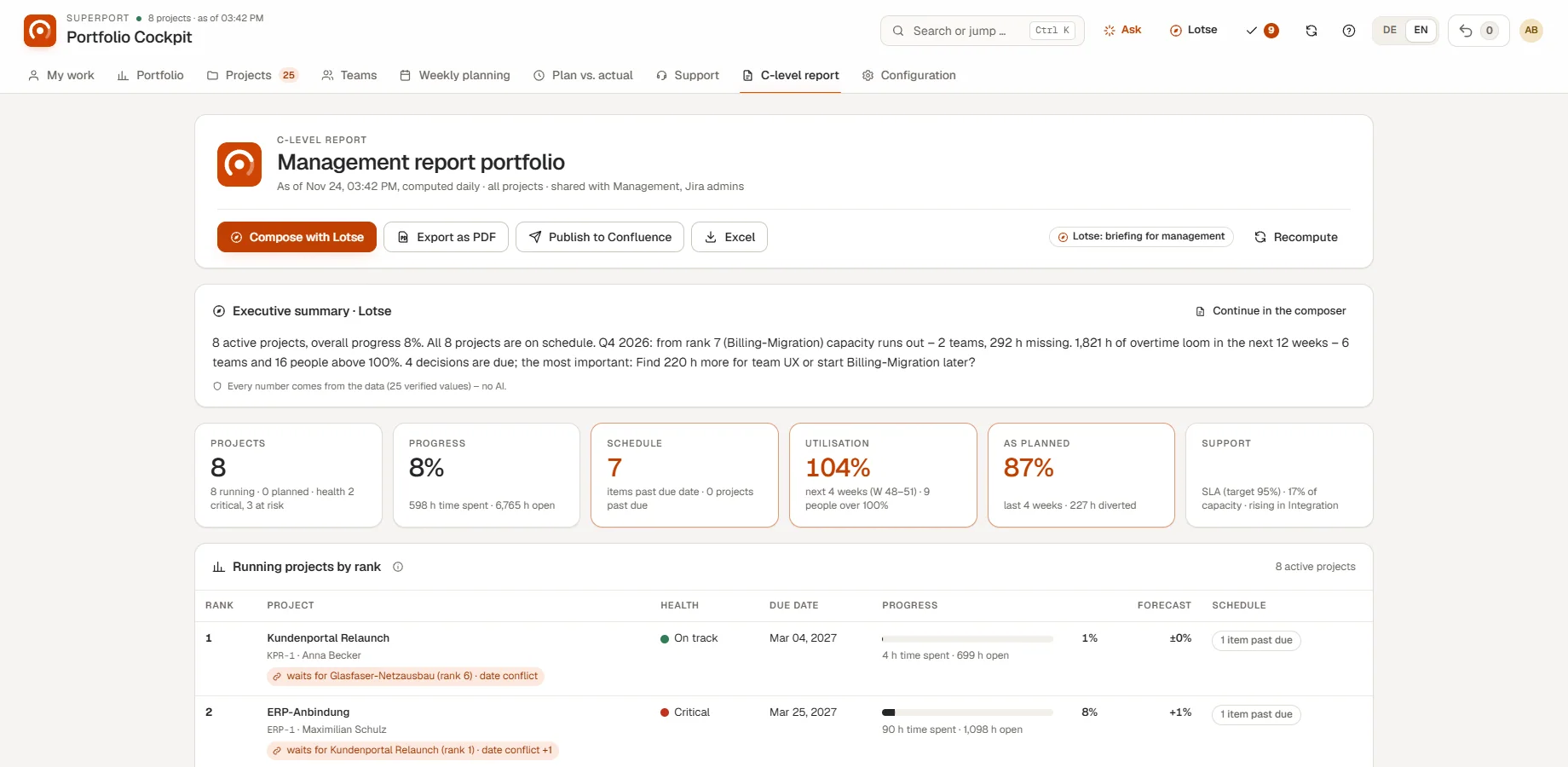
Portfolio Cockpit for Jira reads your projects, estimates, worklogs and teams live from Jira. You rank your projects once; the cockpit hands out capacity from the top down, and the waterline shows what fits this quarter. Team leads plan the week, and management gets a one-page report with numbers you can check.
Who it is for
Explore the documentation
Quick facts
Hosting | Built on Atlassian Forge. The app connects to no servers outside Atlassian, and its data stays in your Atlassian cloud. |
|---|---|
Works with | Jira Cloud. Optional: Jira Service Management for the support area and SLAs. |
Languages | English and German, following each user's Jira language. Light and dark theme. |
Pricing | Shown on the Atlassian Marketplace listing. AI usage is paid by SUPERPORT, within a monthly budget per site. |
AI | Optional, off by default. Only a Jira admin can allow it. Runs on Atlassian's Forge LLM; the app does not use Rovo. |
Links | SUPERPORT EULA · Marketplace listing: awaiting approval |
Need help?
Ideas, questions or a bug? We are here for you - in German, English and Greek.
How it works
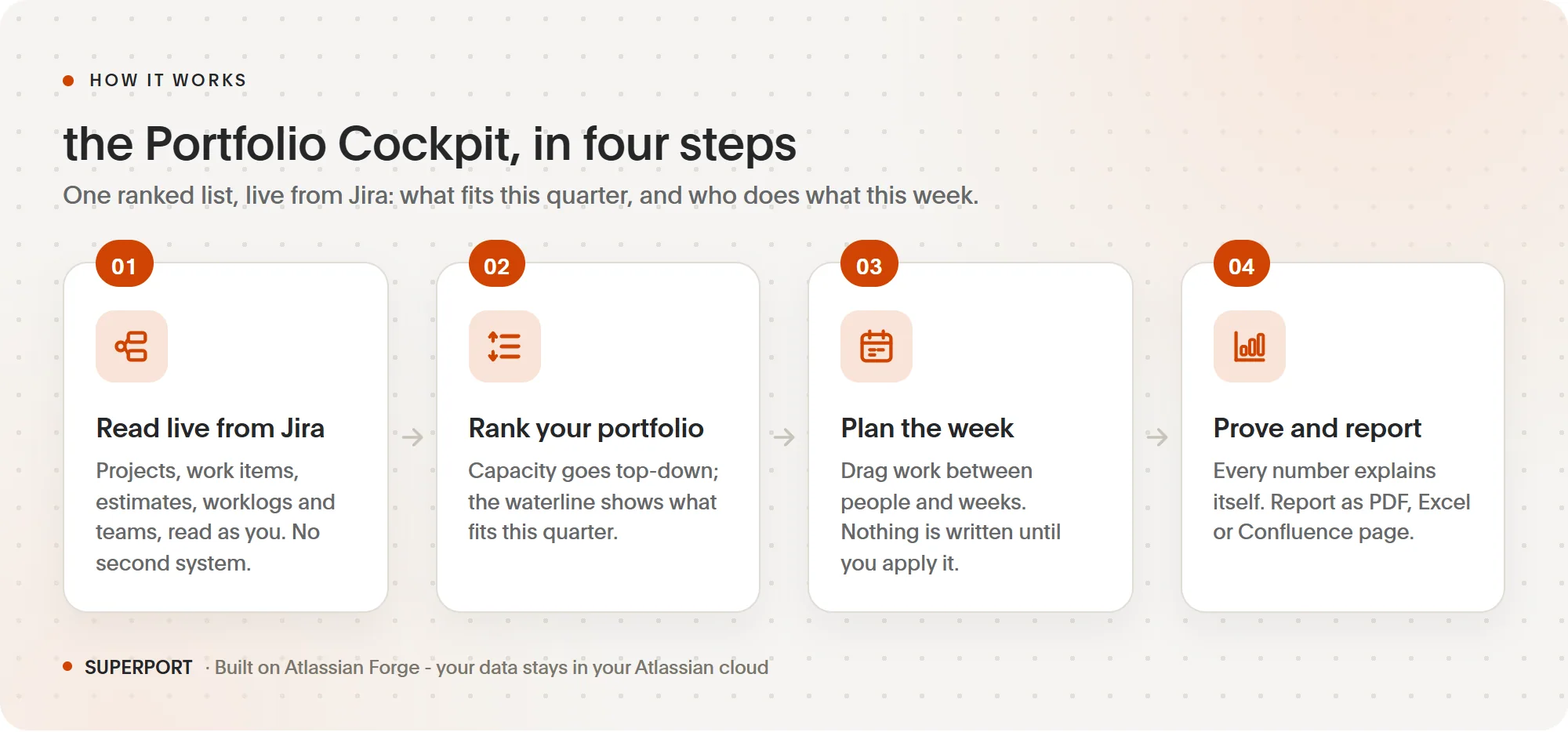
What you can do
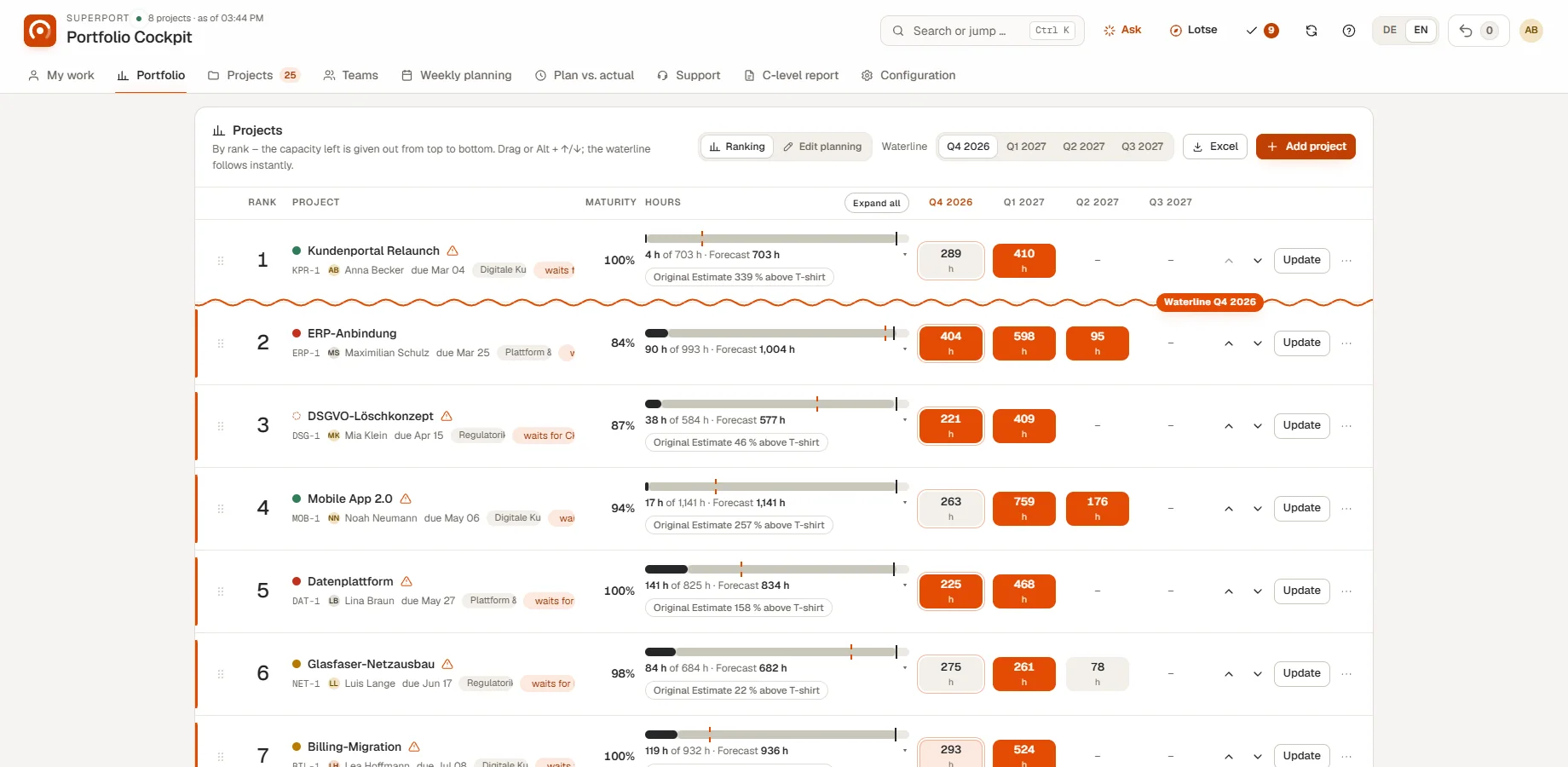
1. See what fits this quarter
All projects in one ranked list with progress, forecast, maturity and health. Drag a project up or down and the waterline moves at once. Projects above it can be fully staffed; below it, you see the missing hours per team.
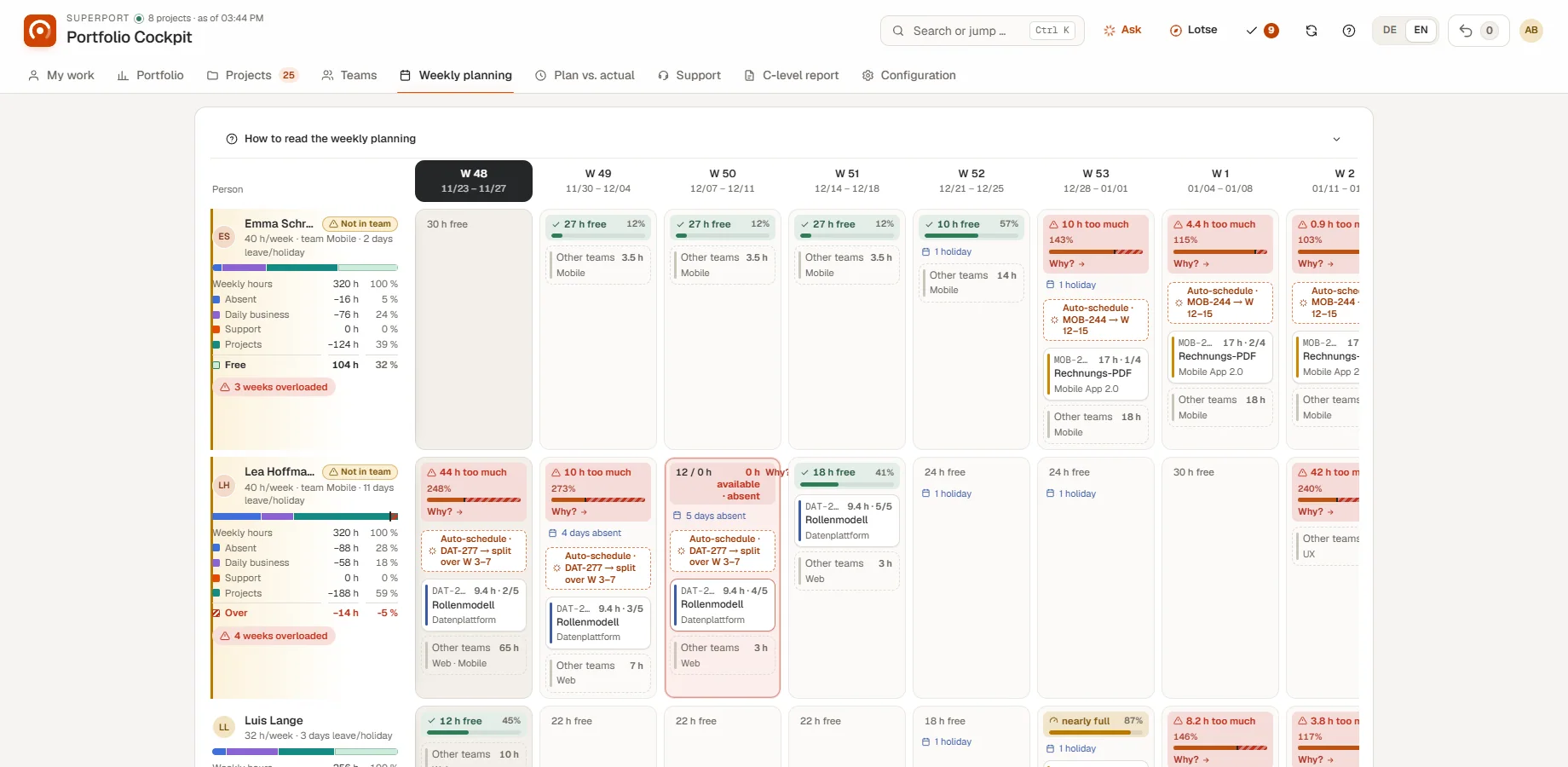
2. Plan the week, then write it to Jira
A person × week board for your weekly meeting. Drag work to another week or person, and let Optimize suggest how to finish sooner. Nothing reaches Jira until you click Apply in Jira.
3. Report with numbers you can defend
Key figures, who waits for whom and capacity by rank per quarter, as PDF or Excel. Hover any number to see how it was calculated.
Also included
My work: type your hours into one grid and they are booked in Jira.
Plan vs. actual: every Monday the plan is recorded and compared with what was booked.
Support area with SLAs, for Jira Service Management.
Lotse, the built-in navigator, answers questions from your data - without AI.
About this app
Still stuck? Our team answers in English, German and Greek.
Open a support request