
Screen Self-Service for Jira
Screen Self-Service for Jira lets project admins change the Create, View and Transition screens of their own project - simply with drag and drop, without a ticket to the Jira admin. Screens shared with other projects stay locked, and every change is recorded in the audit log.
Who it is for
Explore the documentation
Quick facts
Hosting | Runs on Atlassian. Your data stays in Atlassian's cloud. The app sends no data anywhere else. |
|---|---|
Works with | Jira Cloud, company-managed projects that use field schemes |
Languages | English and German |
Pricing | Free for teams of up to 10 users. Above that, a low price per user that drops as your company grows. Larger sites get a 30-day free trial. |
AI | Optional Rovo agent "Screen Assistant", off until a Jira admin turns it on |
Links |
Need help?
Ideas, questions or a bug? We are here for you - in German, English and Greek.
How it works
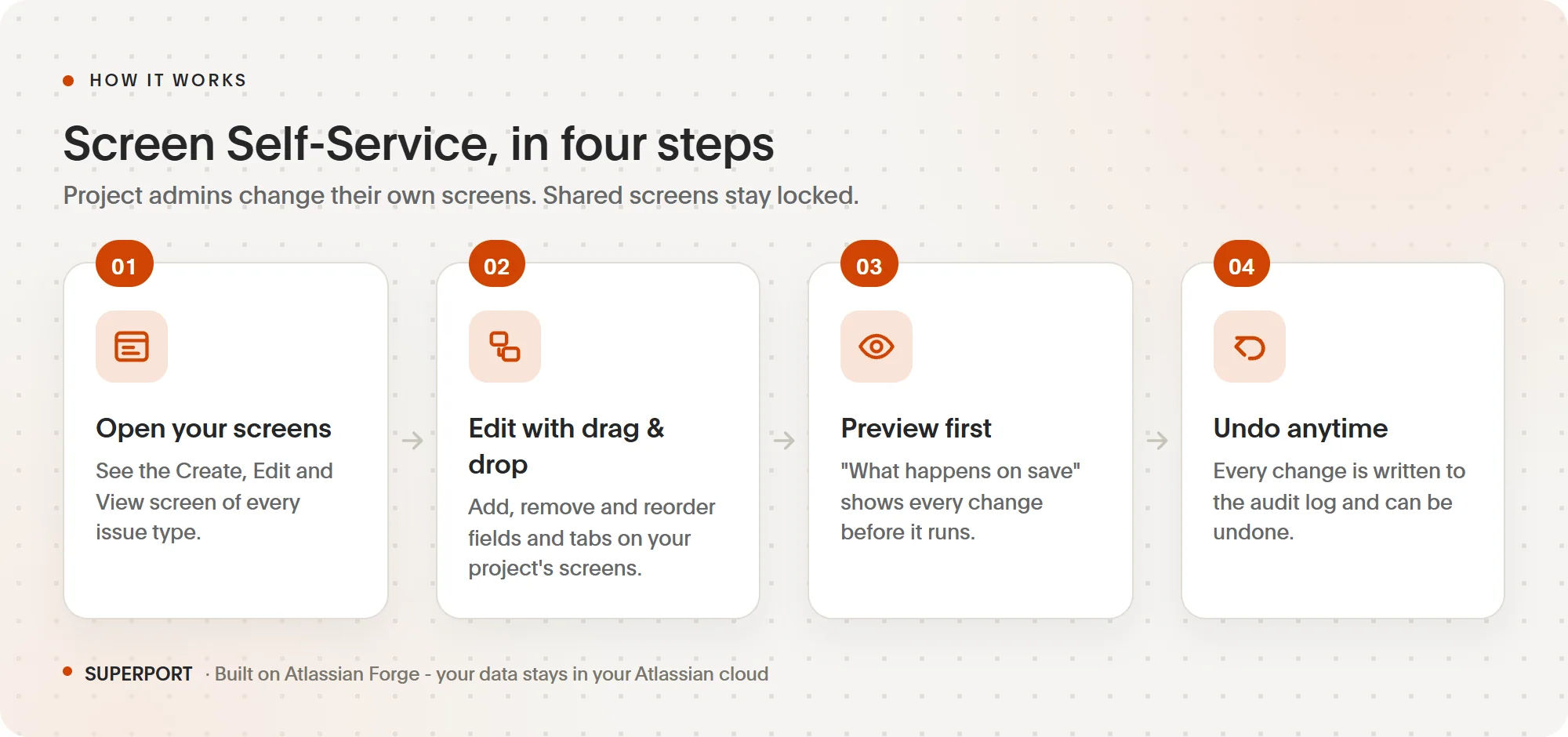
What you can do
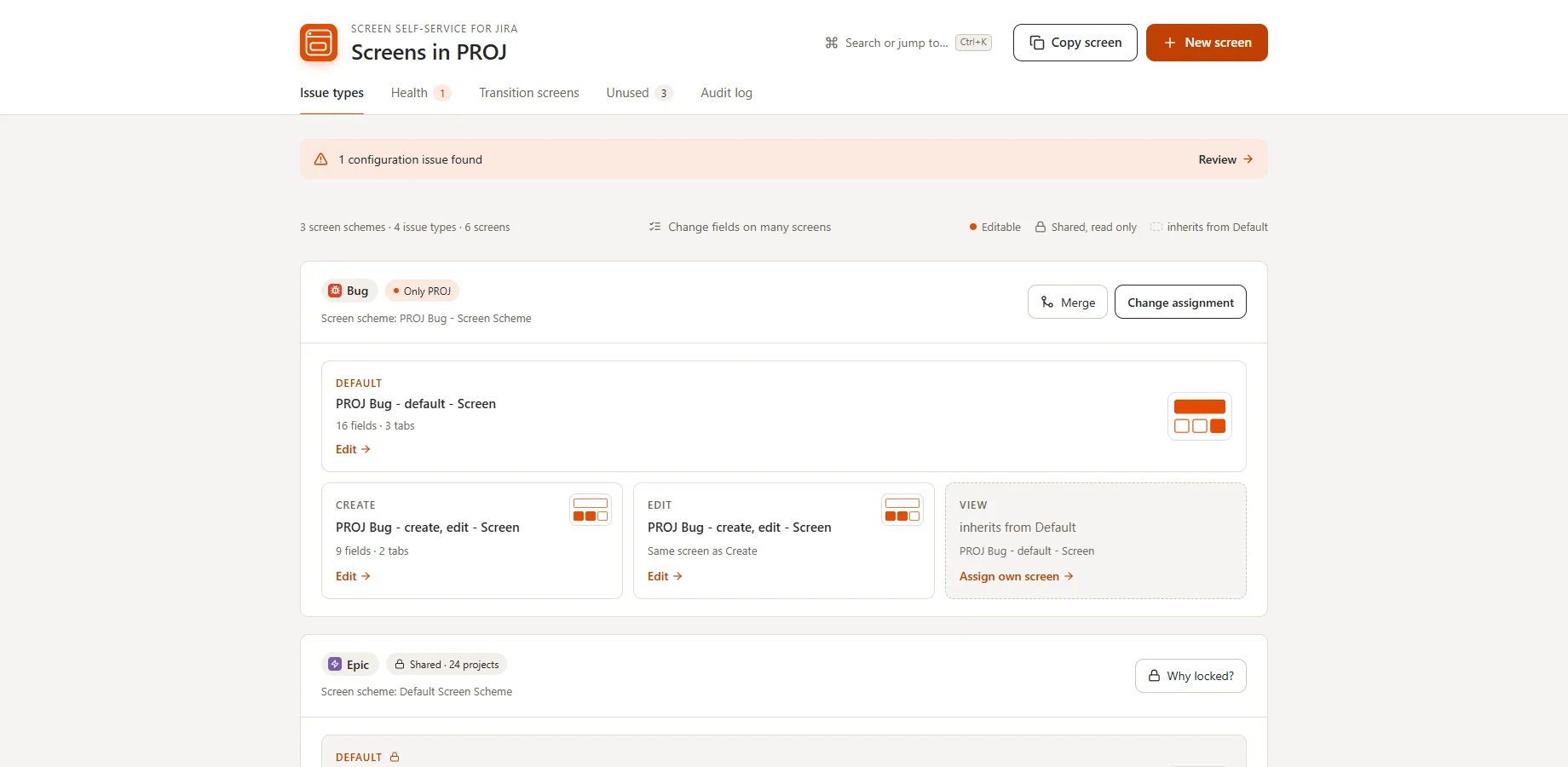
1. See every screen at a glance
See the Default, Create, Edit and View screen of every issue type. You see at once which screens you can edit and which are shared with other projects.
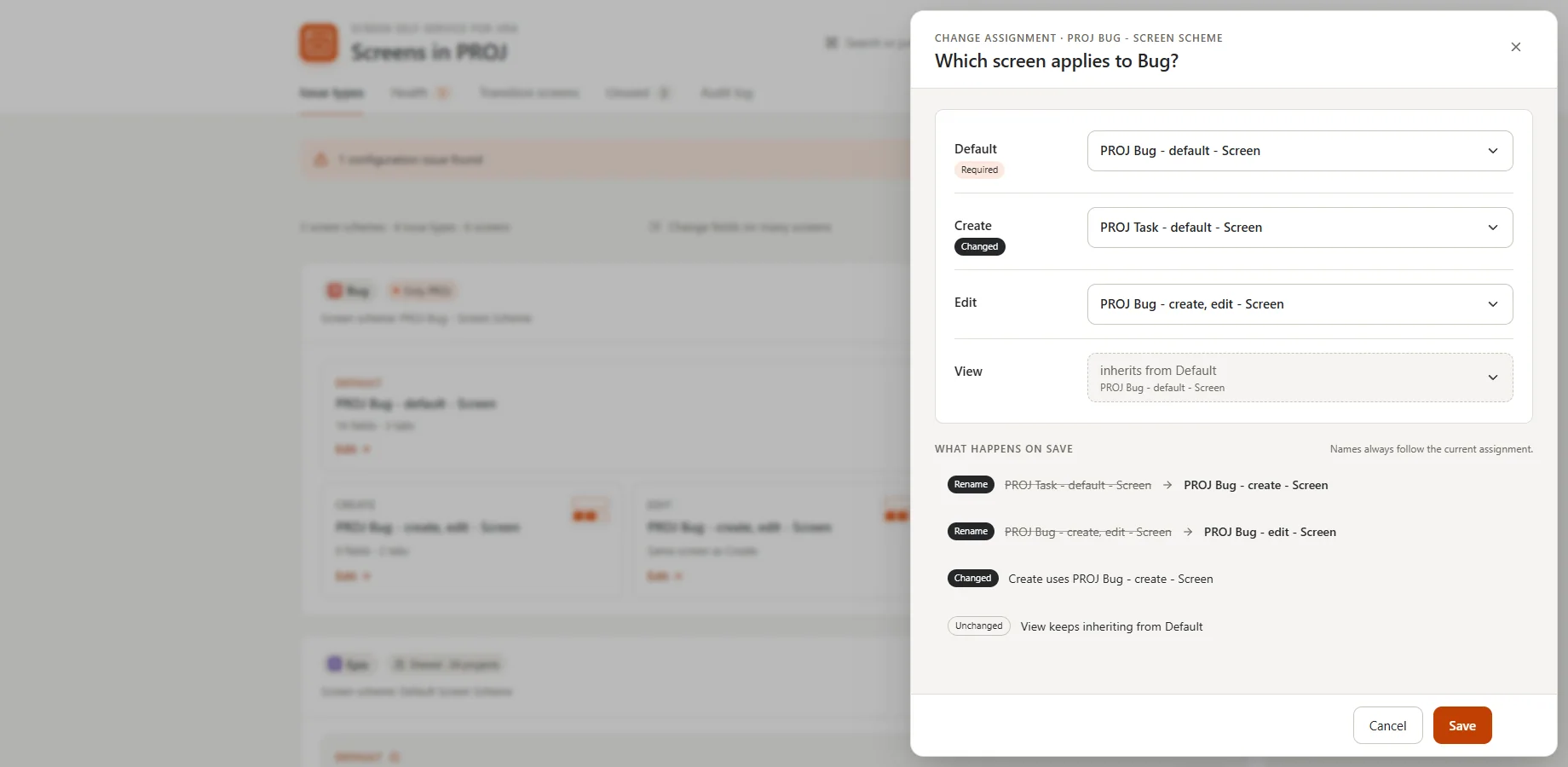
2. Edit screens with drag and drop
Add, remove and reorder fields and tabs, change which screen an issue type uses, or copy a screen as a template. Before you save, the app lists what will change, and every change is recorded in the audit log.
3. Keep the configuration clean
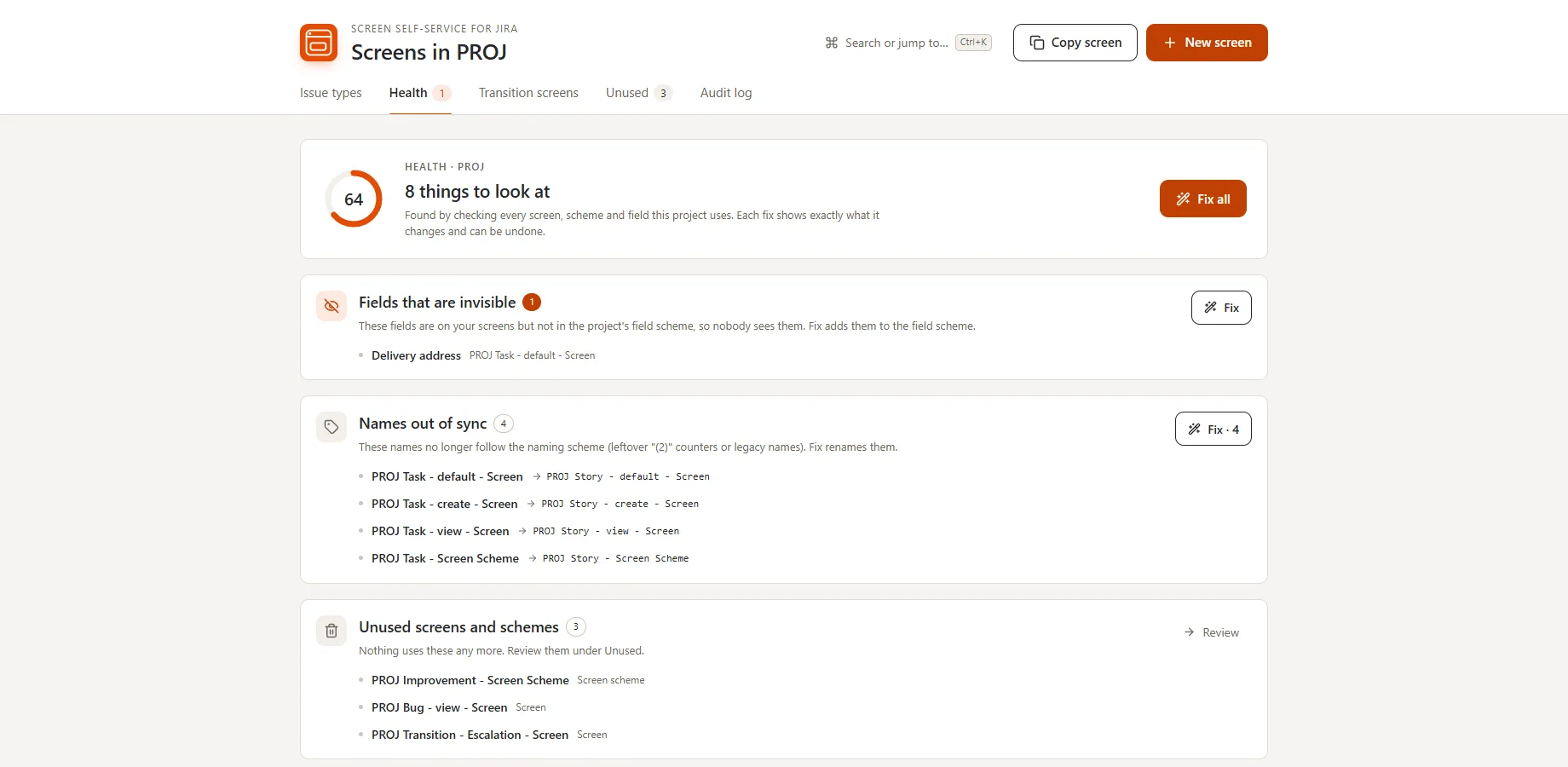
The health check finds create screens without Summary, invisible fields, out-of-date names and empty tabs. Unused screens the app created can be cleaned up automatically.
Also included
Shared screens stay locked - the app offers a copy for your project instead.
Transition screens: create them and switch them on per workflow transition.
Screen Assistant (optional, AI): a Rovo agent that explains screens and adds fields in a conversation. Off until a Jira admin turns it on.
About this app
Still stuck? Our team answers in English, German and Greek.
Open a support request