
Group Self-Service for Jira
Group Self-Service for Jira lets project admins manage their own project's groups and roles, right in the project settings - without a ticket to the Jira admin. Jira admins set the rules, every change is checked and recorded in the audit log, and project admins' changes apply at once or after a Jira admin's review.
Who it is for
Explore the documentation
Quick facts
Hosting | Built on Atlassian Forge. The app talks to no outside servers, and its data stays in Atlassian's cloud. |
|---|---|
Works with | Jira Cloud, all editions. Optional: install it in Confluence on the same site to see where a group is used there. |
Languages | English and German, following each user's Jira language |
Pricing | Free for up to 10 users, then per user via Atlassian |
AI | Optional Rovo agent, off until a Jira admin turns it on |
Links |
Need help?
Ideas, questions or a bug? We are here for you - in German, English and Greek.
How it works
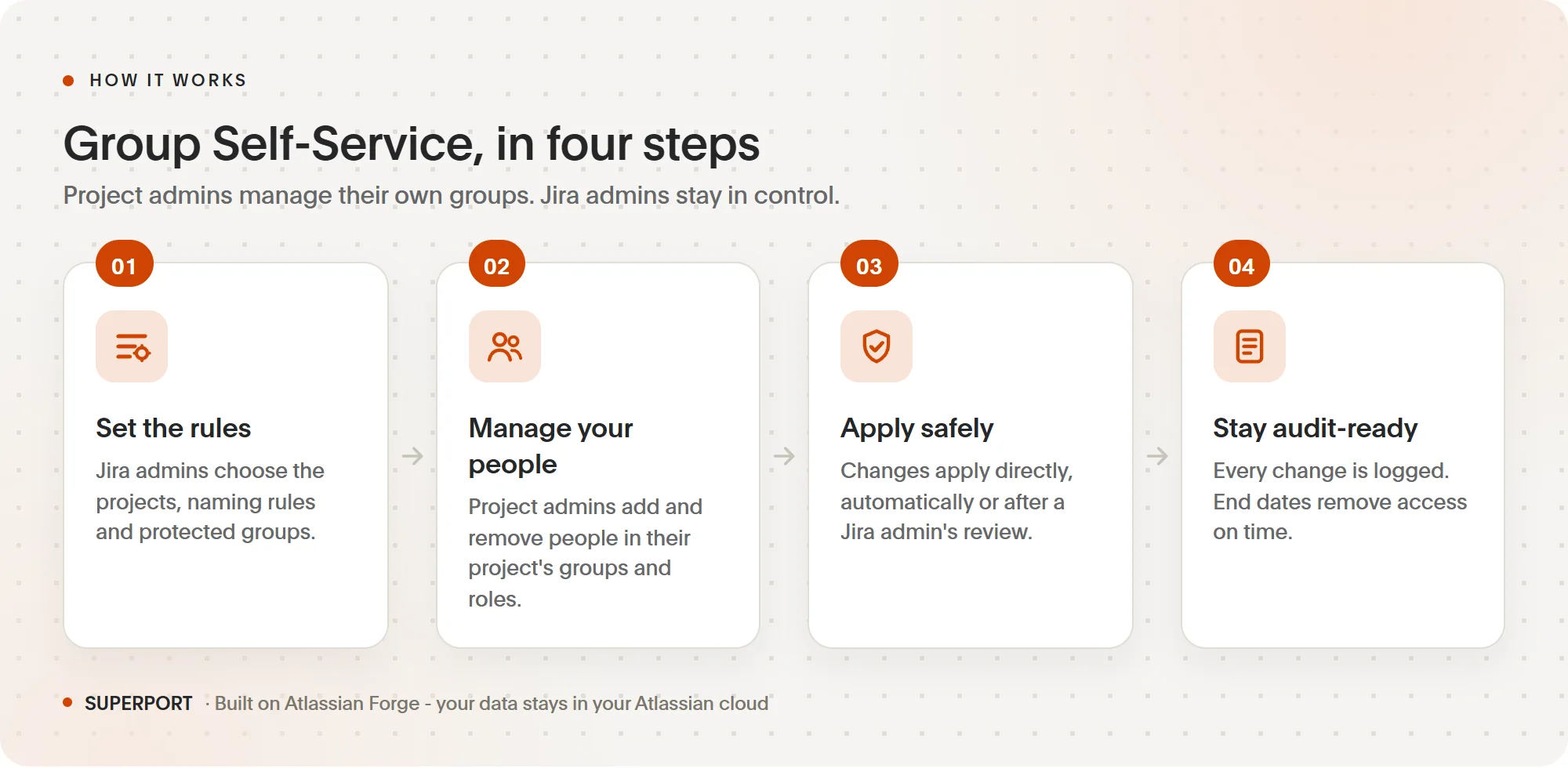
What you can do
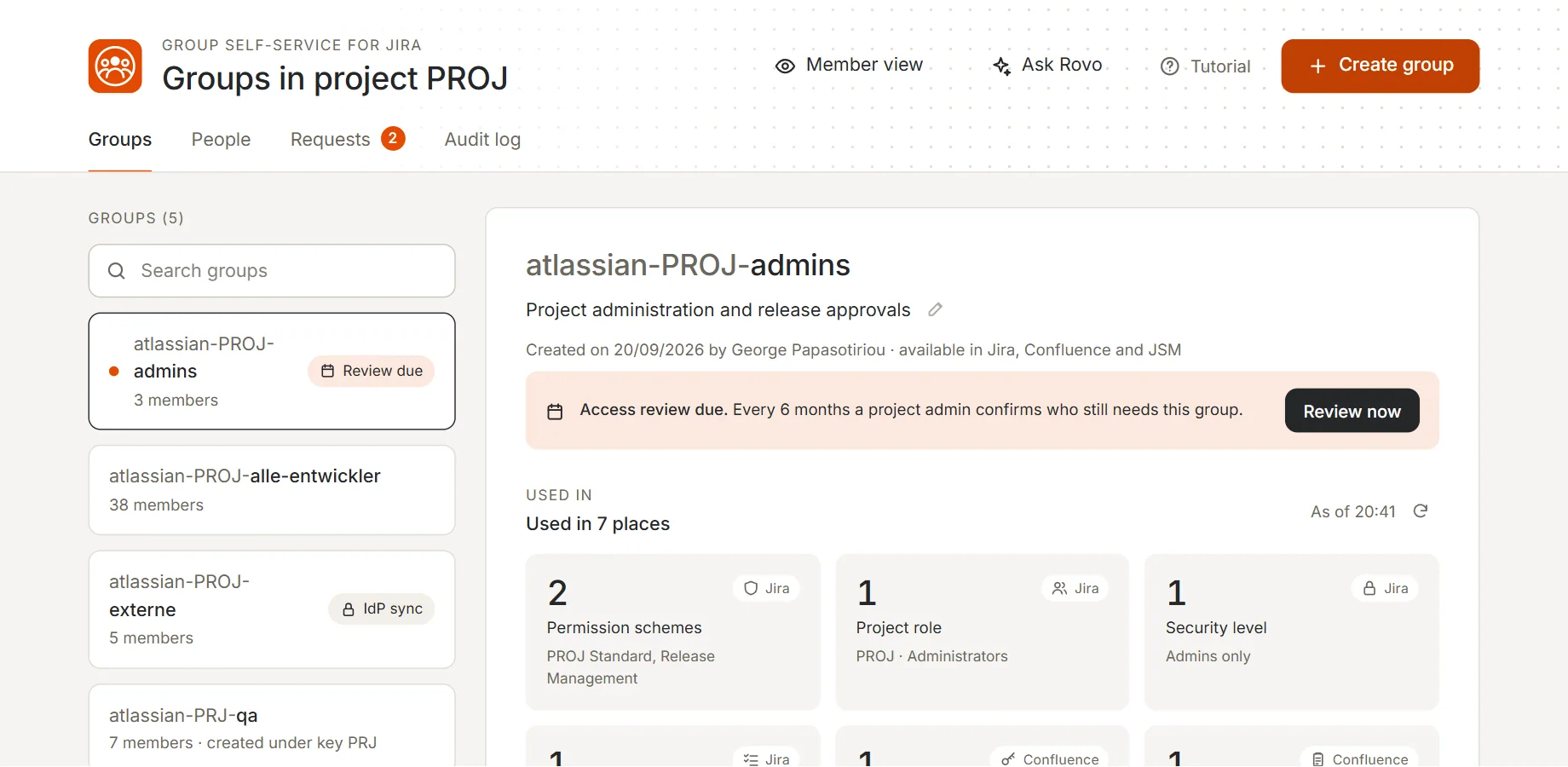
1. Groups that belong to the project
Create groups named atlassian-<PROJECTKEY>-<name>, add and remove people and set end dates. Before anyone is removed, the app shows where the group grants access: permission schemes, workflows, roles, Confluence and more.
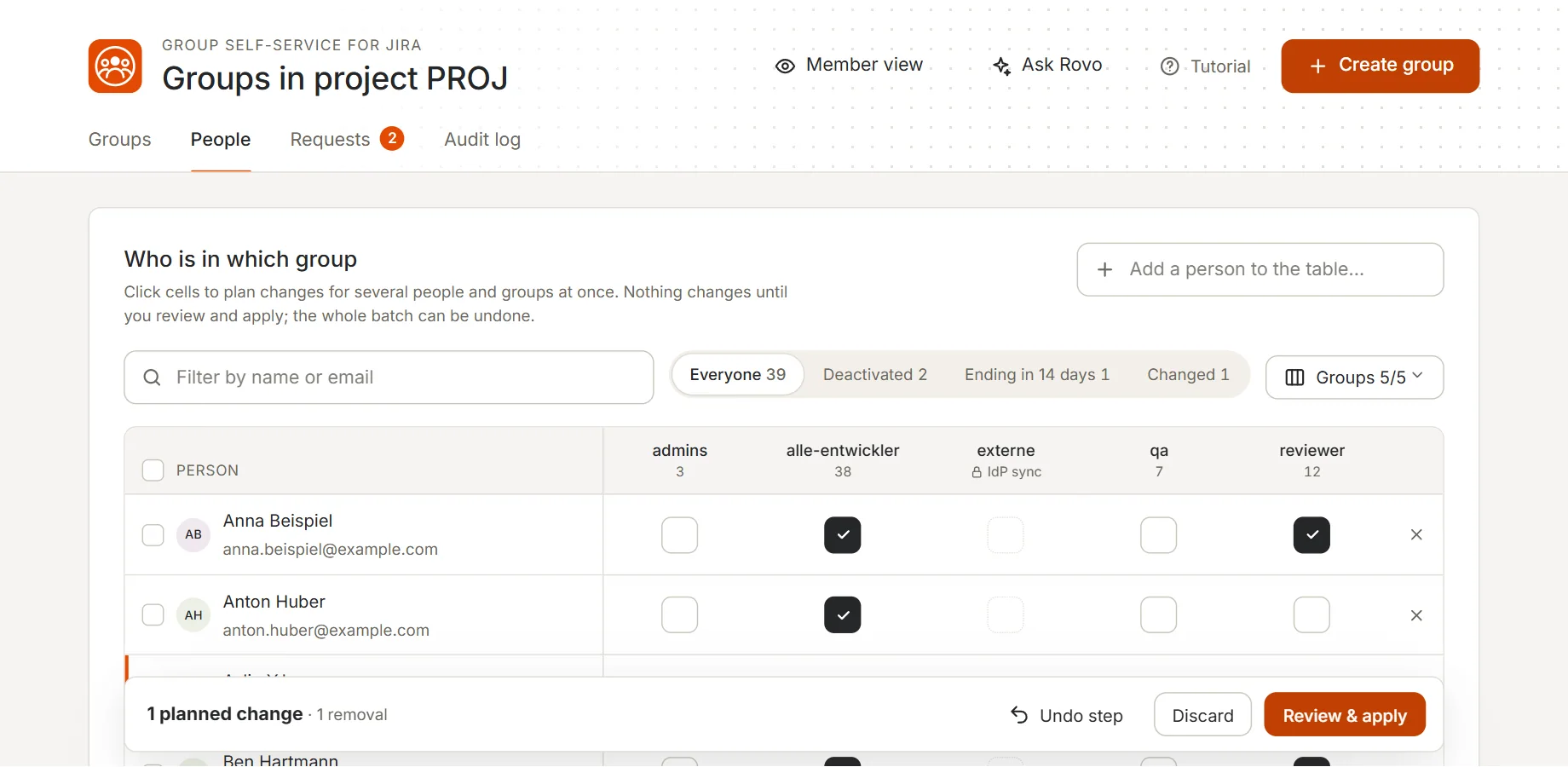
2. See who is in which group
One table shows every person and every project group. Plan additions and removals, give a new colleague the same groups as someone else, or remove a leaver from all groups. Nothing changes until you click Review & apply.
3. Keep every change on record
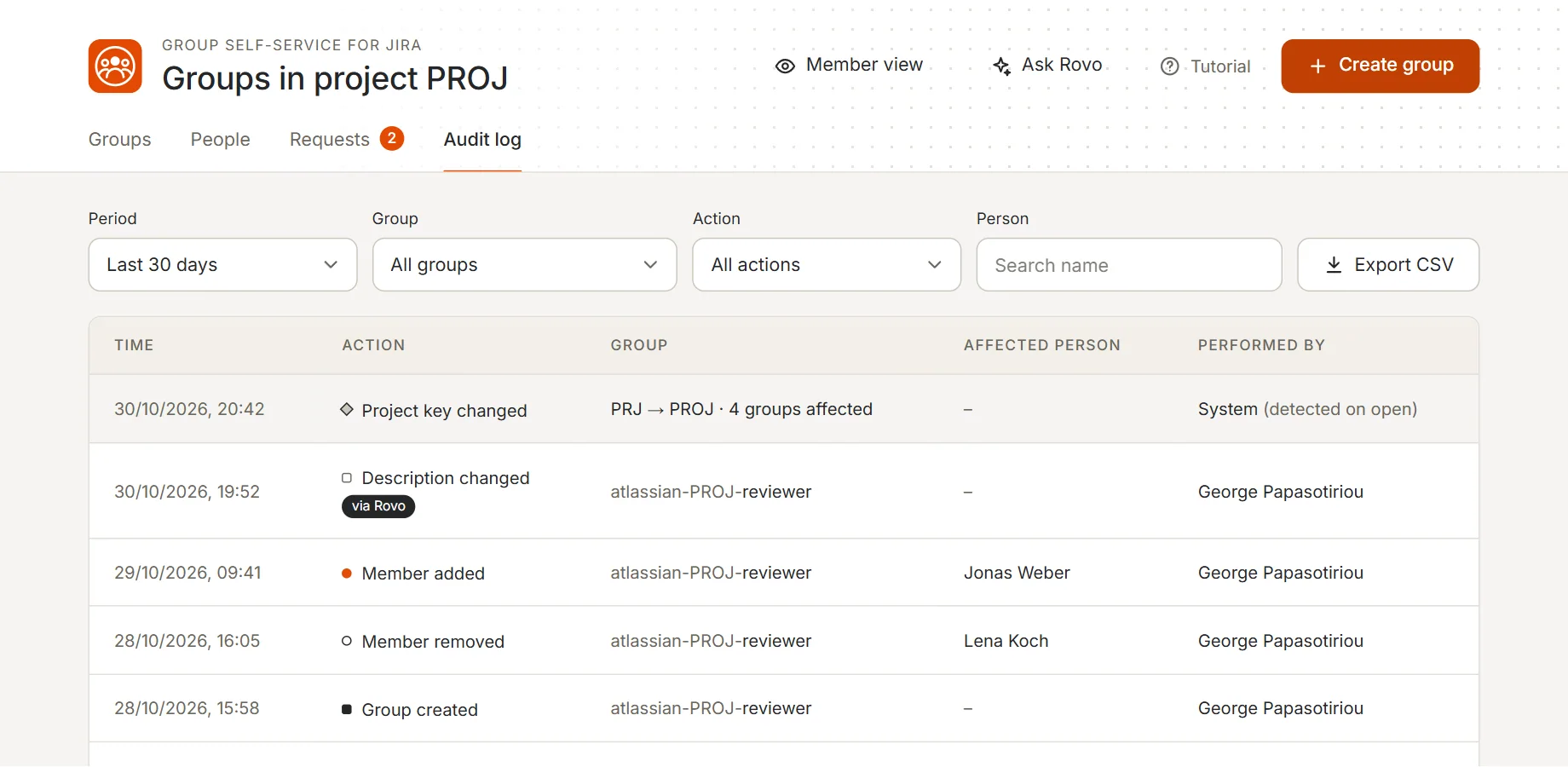
Each change is logged with who did it, for whom and when. Filter the log and export it as CSV. Auditors get their own read-only page, and most changes can be undone.
Also included
Project roles: add and remove people and groups in your project's roles.
Time-limited access with end dates, access requests and periodic access reviews.
Changes apply at once with a Jira admin's account, or wait under Changes to apply for a review.
Rovo agent (optional, AI): manage groups in plain language. Off until a Jira admin turns it on.
About this app
Still stuck? Our team answers in English, German and Greek.
Open a support request