
Custom Field Self-Service for Jira
Custom Field Self-Service for Jira lets project admins look after the custom fields of their own space - without a ticket to the Jira admin. Jira admins set the guidelines, and every change is recorded in the audit log.
Who it is for
Explore the documentation
Quick facts
Hosting | Runs on Atlassian. No data leaves your site - it stays in the app storage, under your data residency. |
|---|---|
Works with | Jira Cloud, company-managed spaces. Approvals via Jira Service Management. |
Languages | English and German |
Pricing | Free for up to 10 users, then per user via Atlassian |
AI | Optional Field Assistant (Rovo), off by default |
Links |
Need help?
Ideas, questions or a bug? We are here for you - in German, English and Greek.
How it works
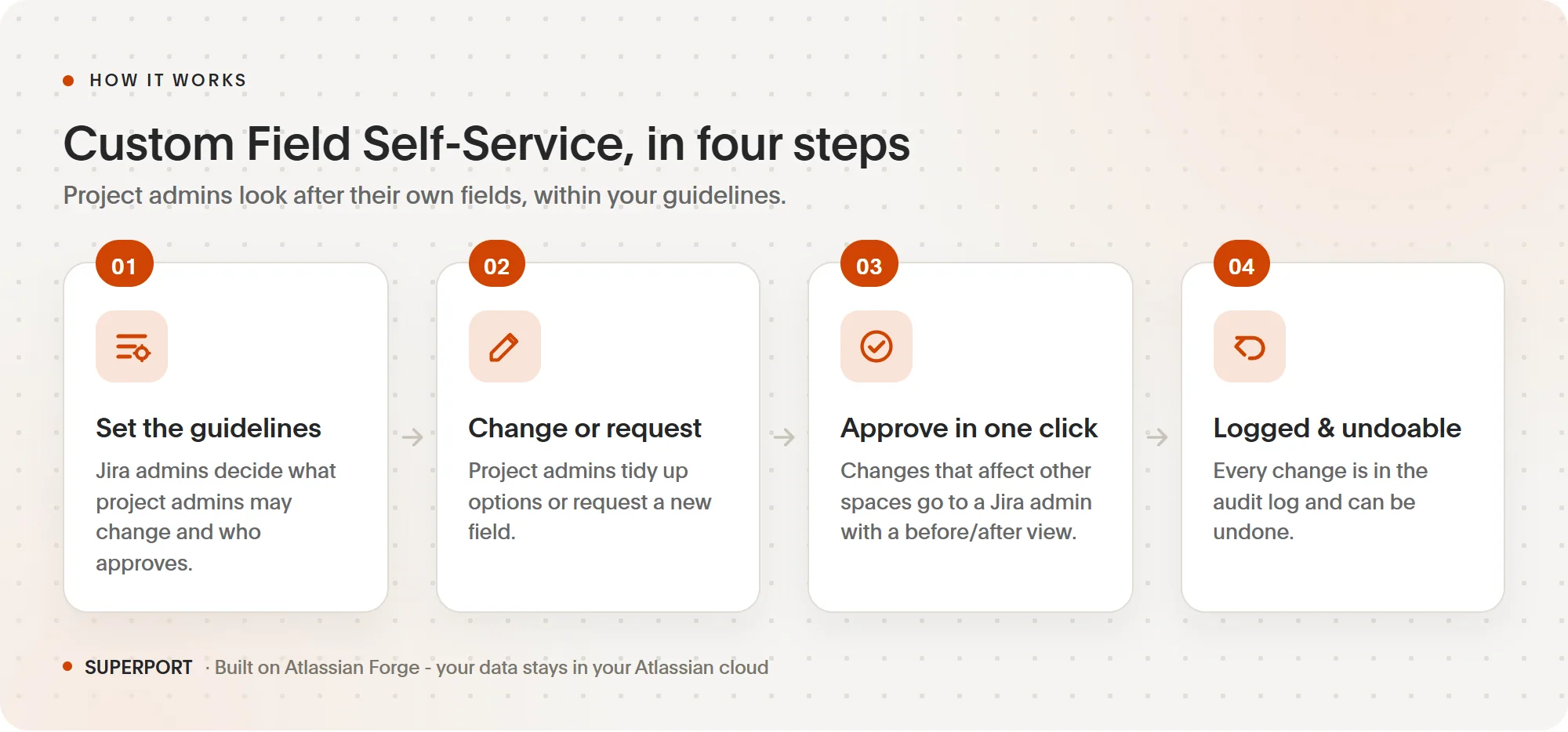
What you can do
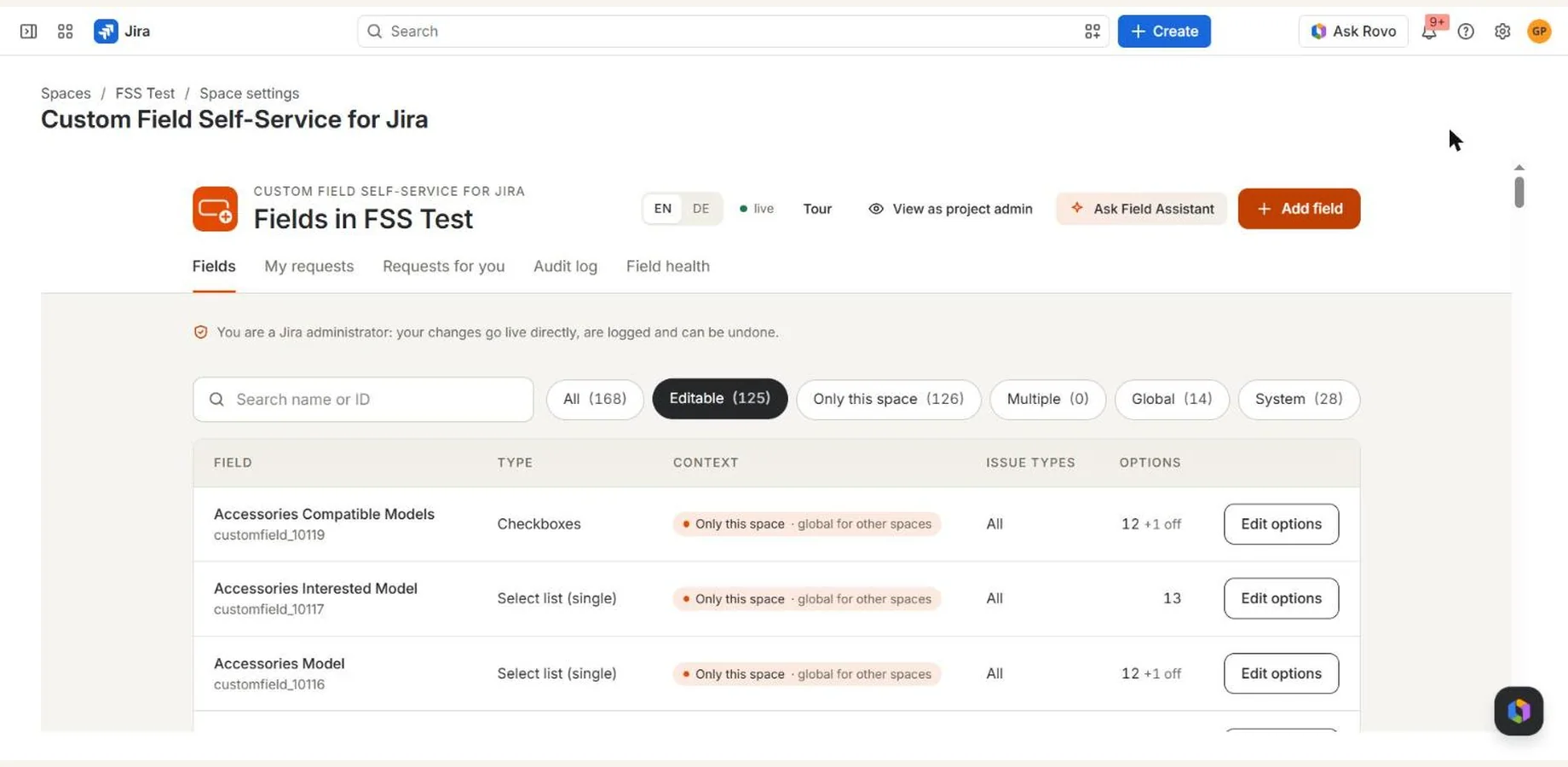
1. See every field of your space
One list with every field your space uses, its type, who shares it and how many options it has. You see at once what you can change yourself.
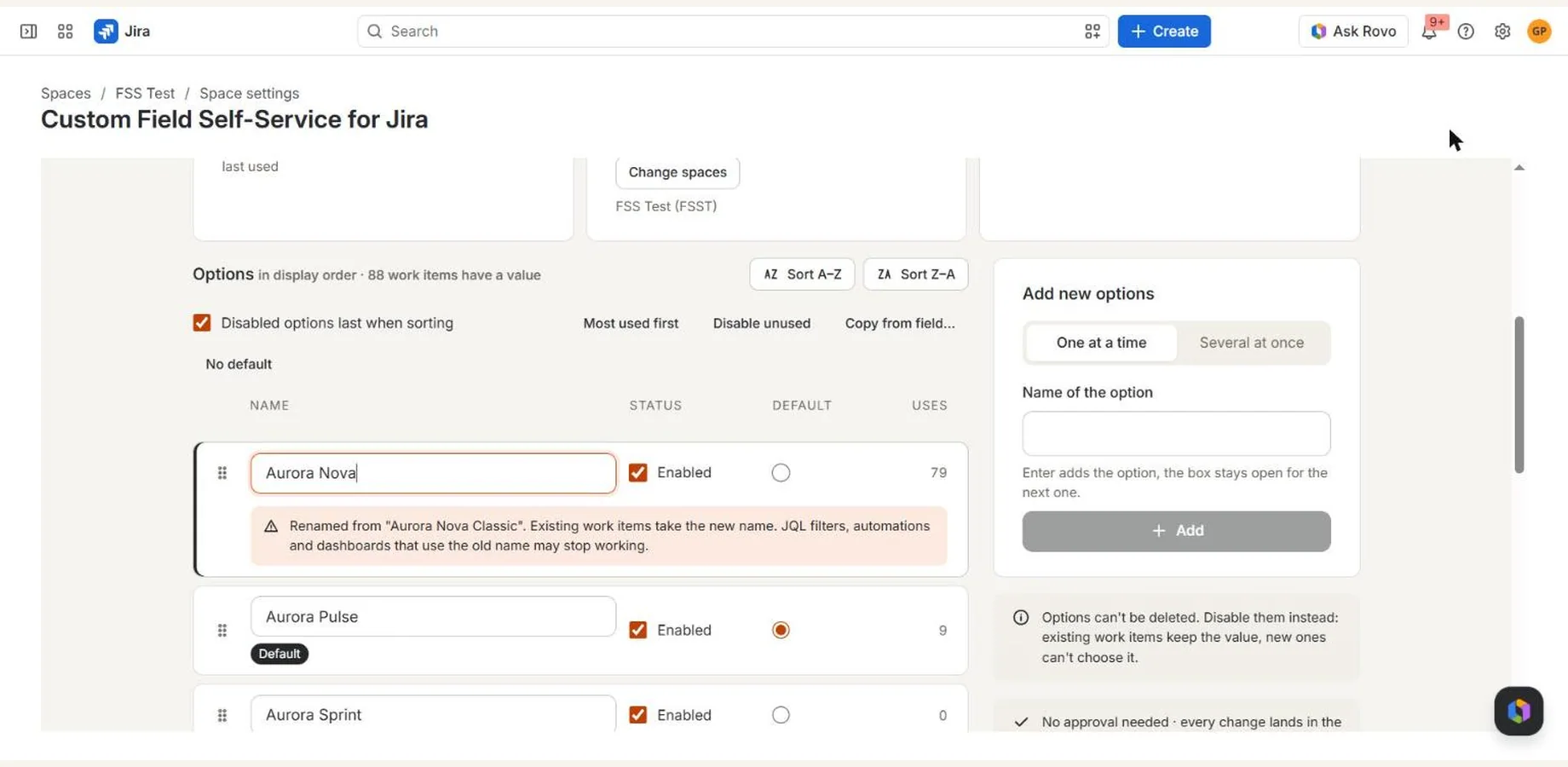
2. Change options safely
Add, rename, sort and disable options. Before you save, you see how many work items are affected. Options are never deleted, so existing work items keep their value.
3. Keep fields healthy
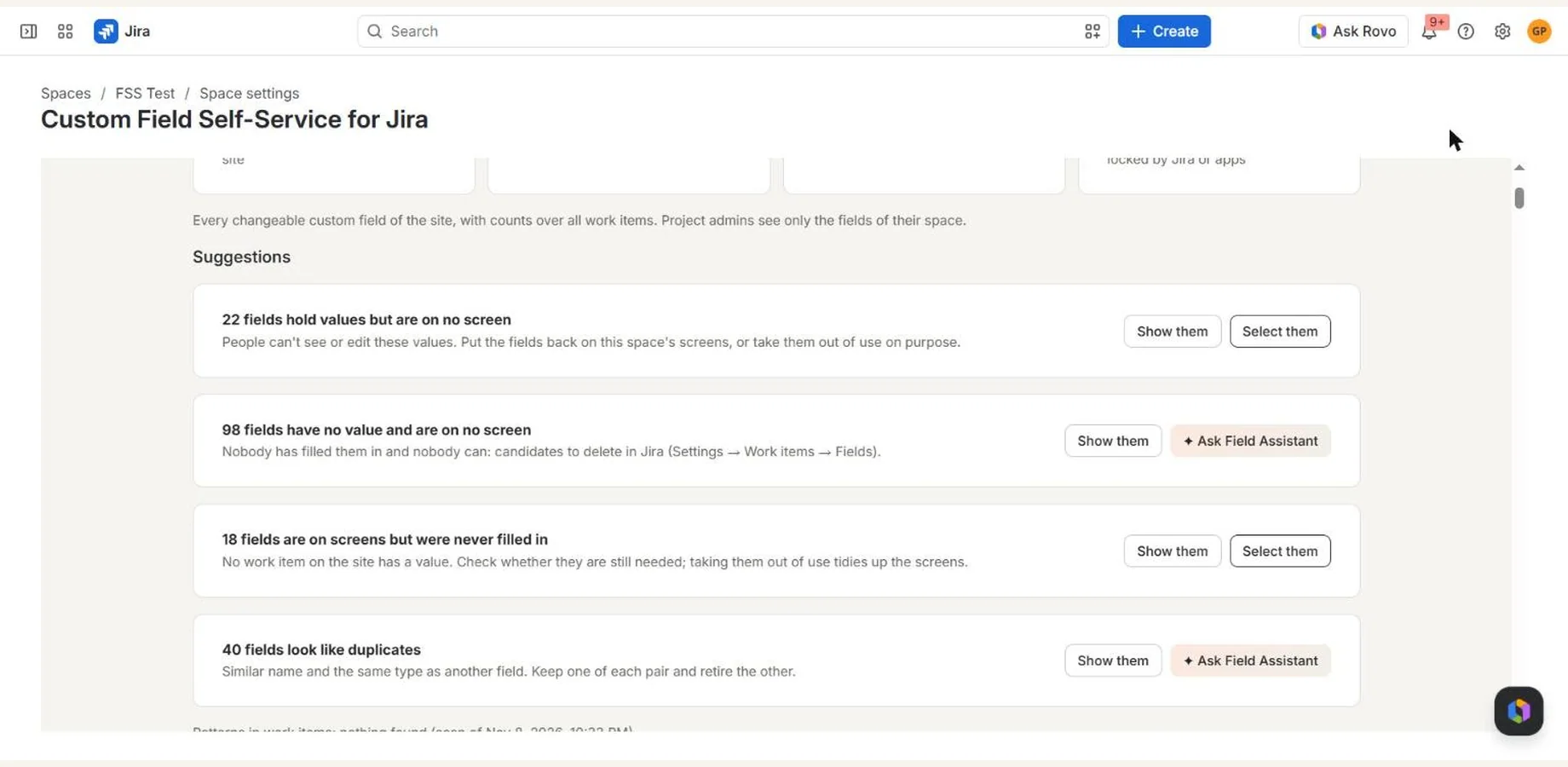
Find fields that are unused, on no screen or look like duplicates, with clean-up suggestions built from your own data.
Also included
Approvals in your Jira Service Management space, with one-click decisions and a two-person rule for large changes.
Audit log with every change, who made it and when - and Undo if needed.
Daily self-test and a site check with one-click fixes.
Field Assistant (optional, AI): a Rovo agent that prepares requests in a conversation. Off until a Jira admin turns it on.
About this app
Still stuck? Our team answers in English, German and Greek.
Open a support request