
Workflow Analyzer & Optimizer for Jira
Workflow Analyzer & Optimizer for Jira reads your workflows live from Jira, explains every rule in plain language, finds what is broken and helps you fix it. Looking never changes anything: a change only happens when you confirm it, Jira validates it first, and one click rolls it back.
Who it is for
Explore the documentation
Quick facts
Hosting | Built on Atlassian Forge. Your data stays in Atlassian's cloud; the app sends nothing anywhere else. |
|---|---|
Works with | Jira Cloud, company-managed and team-managed projects |
Languages | English and German (every screen and every export) |
Pricing | Free for up to 10 users, then per user via Atlassian |
AI | Optional and off by default. Only a Jira admin can switch it on. Runs on Atlassian (Forge LLM and Rovo), with a monthly AI budget included. |
Links | SUPERPORT EULA · Marketplace listing: awaiting approval |
Need help?
Ideas, questions or a bug? We are here for you - in German, English and Greek.
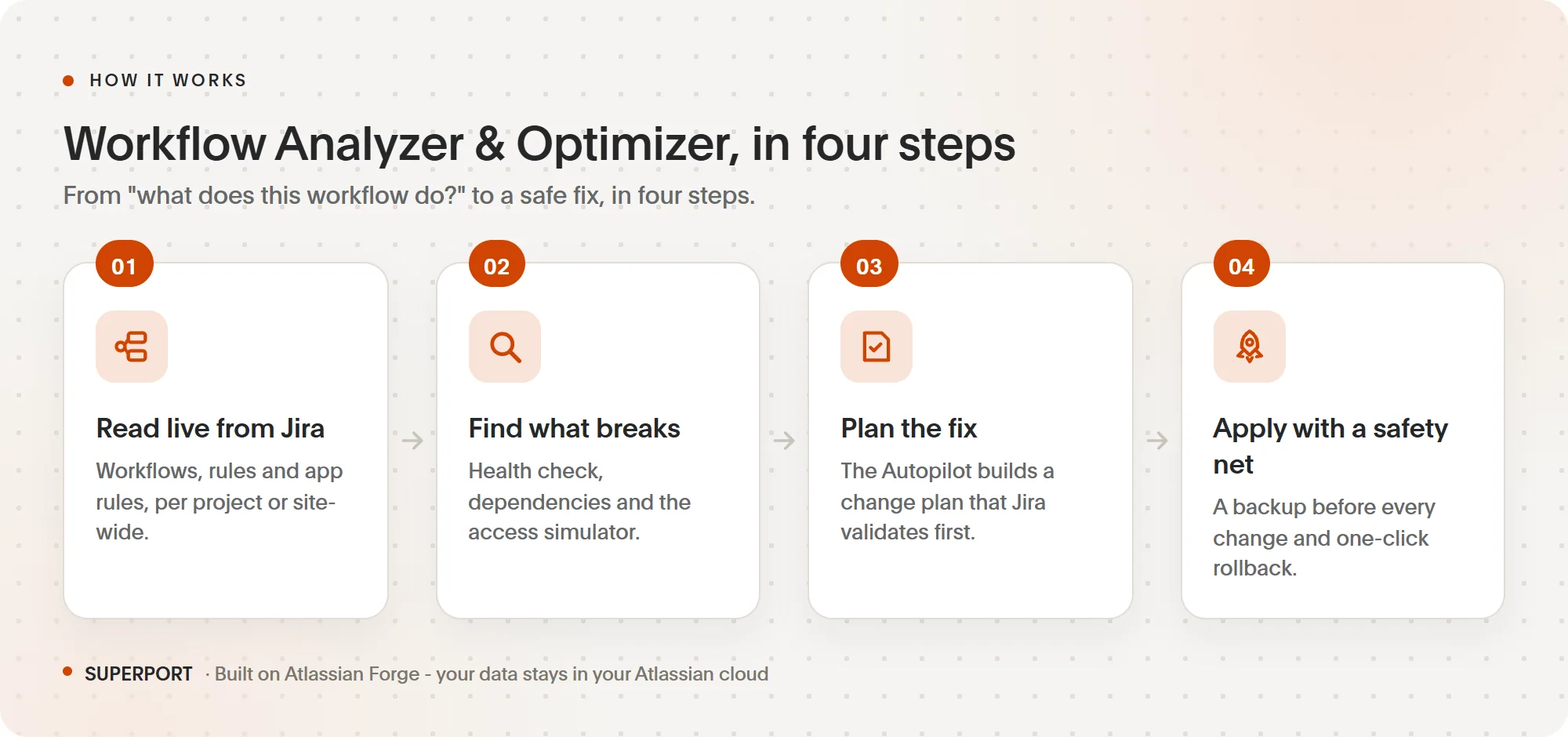
How it works
What you can do
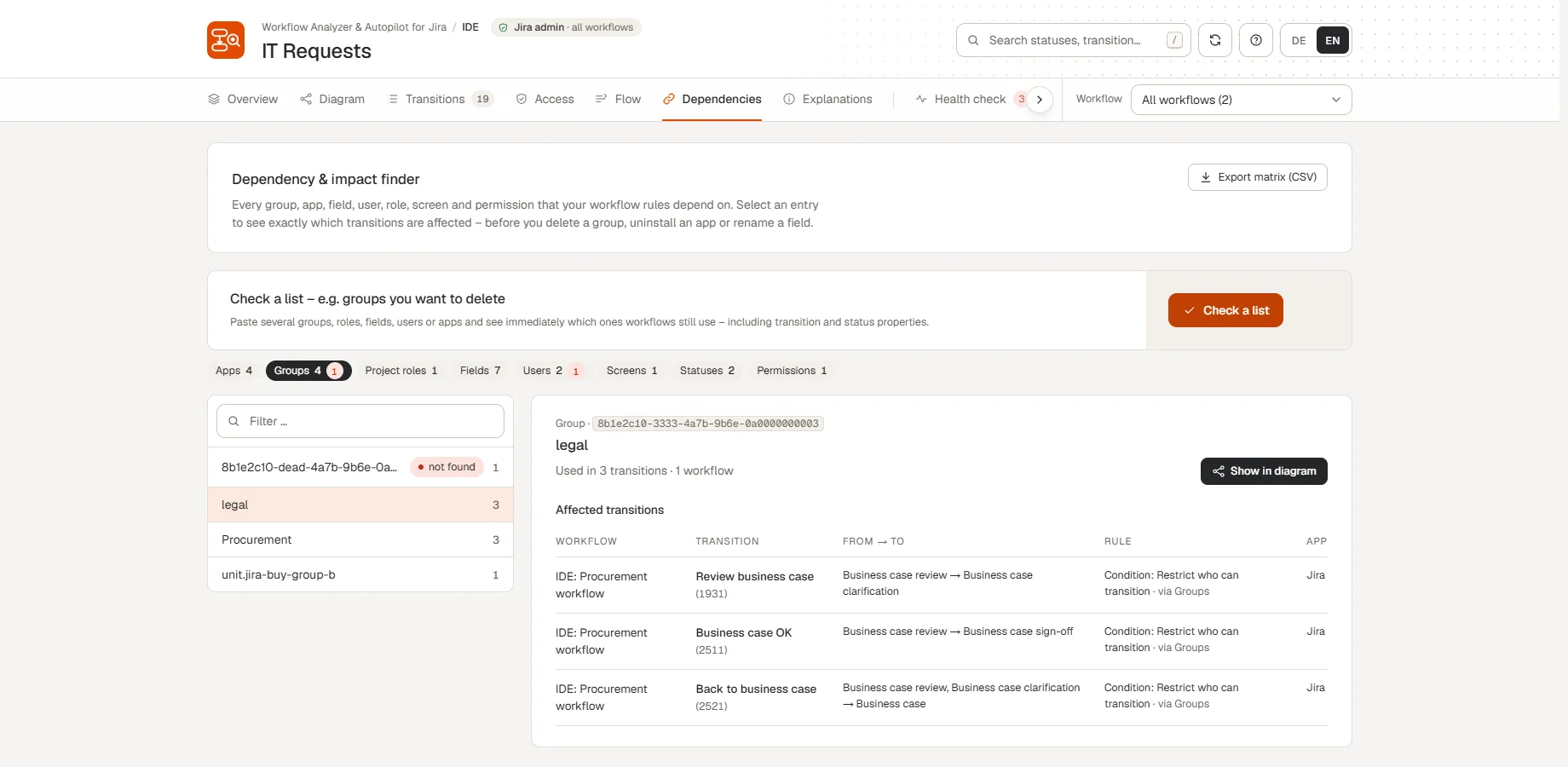
1. Understand every workflow
Diagram, transition table and every rule, including rules of other apps, in plain words. A health score and a prioritised action plan per project, or for the whole site.
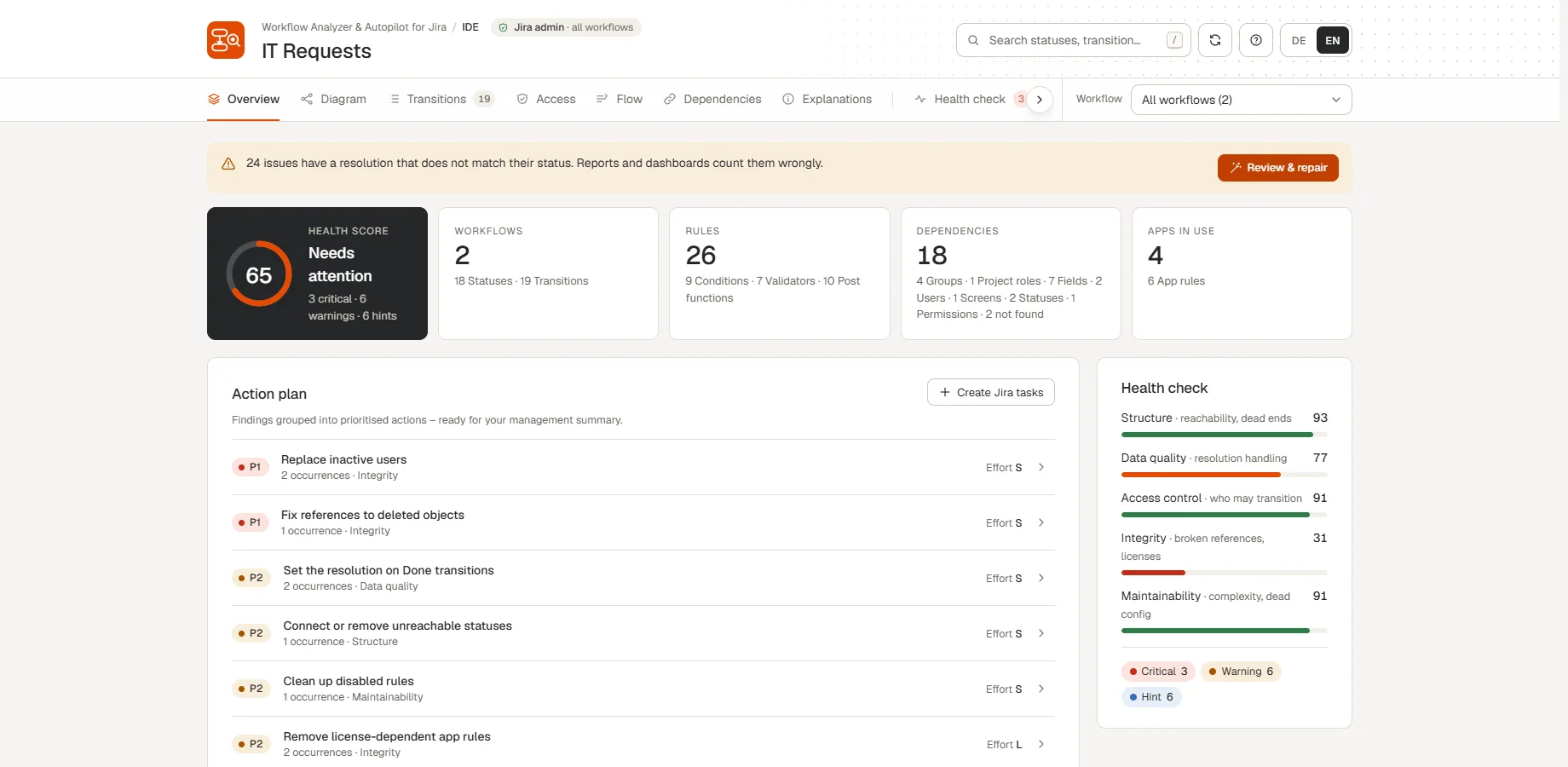
2. Know the impact first
See every transition that depends on a group, role, field, user, screen or app before you delete or rename it. The access simulator shows who can move an issue, and why someone can't.
3. Fix problems safely
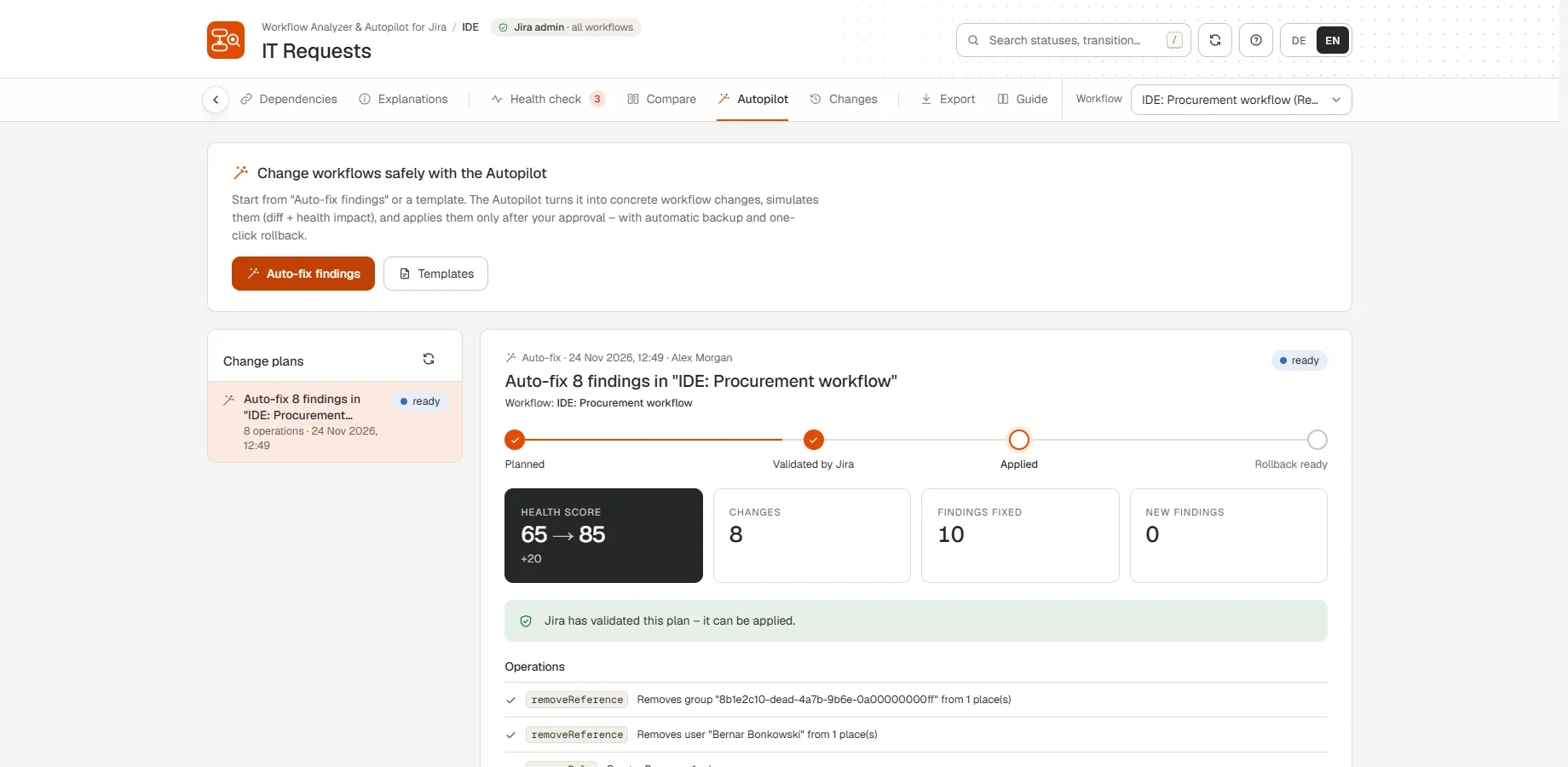
The Autopilot turns findings into a change plan. You see the health score before and after, Jira validates the plan, a backup is stored, and one click rolls it back.
Also included
Access simulator: who can move an issue, and why someone can't.
Snapshots and daily monitoring show when a workflow changed.
Documentation exports as HTML, PDF, CSV or JSON.
Optional AI and the Workflow Analyst Rovo agent. Off until a Jira admin turns them on.
About this app
Still stuck? Our team answers in English, German and Greek.
Open a support request