
Workflow Analyzer – Release notes
4.2.0 – 24 November 2026
NEW NAME
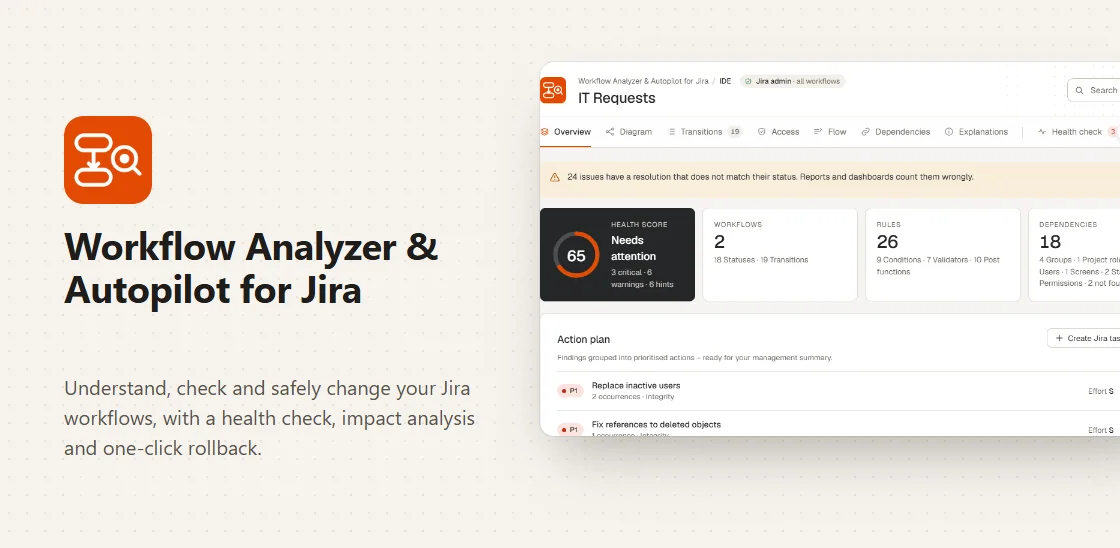
The app is now called Workflow Analyzer & Optimizer for Jira. The new name appears in the Jira menus (Project settings › Apps and Jira settings › Apps), in the app and in exports. Nothing else changes.
This is the version prepared for the Atlassian Marketplace.
4.0.0 – 24 November 2026
NEW New
Exports in plain language. HTML, PDF, CSV and JSON exports now explain each workflow so that everyone understands it: a verdict, the usual path from start to done (who may take each step, what Jira checks, what happens automatically and why), other routes, prioritised improvements with the reason and the fix, every transition explained and a glossary. The full rule table follows for administrators.
Exports cover what you export. Score, apps and dependencies in an export refer only to the exported workflows or selection.
Tabs in a clearer order: understand (Overview to Explanations), check and change (Health check to Changes), document (Export, Guide).
Overview reworked: a new Dependencies tile (groups, roles, fields, users … with the number "not found") and the Health check card.
"New here?" tip on the Overview starts the tour or opens the guide.
Personal data: the app now stores account IDs only, never names, and reports them to Atlassian's Personal Data Reporting API. Data of closed accounts is erased automatically.
IMPROVED Improved and fixed
PDF exports are much faster, and large exports offer a Save file button.
Layout fixes in the HTML export (table headers, toolbar).
Downloading the diagram as PNG works inside Jira, and errors are shown.
The Overview shows when each workflow was last changed.
Diagram labels no longer cover status boxes.
Daily monitoring no longer reports a change with 0 differences.
Flow counts only the issues of the workflow's own issue types.
The Overview no longer counts hints as warnings.
Compare calls workflows "identical" only when there are no differences.
Jira tasks from findings are created in the project you are working in.
With AI off, the Rovo agent tells you exactly where a Jira admin can switch it on.
Clickable rows can be used with the keyboard.
3.0.0 – 23 November 2026
NEW Paid via Atlassian. The app is licensed through the Atlassian Marketplace. Without an active licence it shows a notice; your saved data is kept.
NEW AI budget included. Each site gets a monthly AI budget (€20 by default) at no extra cost. The AI features card shows this month's budget and usage.
IMPROVED The in-app guide explains the app status notices and what to do when a licence is needed.
2.4.0 – 16 November 2026
NEW AI switch for Jira admins. The AI features are off by default. Jira admins switch them on or off on the site-wide page; every change is logged with who and when.
NEW No AI buttons while AI is off. The app hides every AI entry point, and the AI assistant tab becomes Explanations. Everything without AI works as before.
NEW A monthly AI limit per site, shown next to the switch.
IMPROVED AI answers are labelled "AI-generated – please review".
IMPROVED Clear notices during maintenance, with a link to the status page.
Earlier versions – October 2026
26 October 2026
NEW Issue resolutions: find issues that are Done but Unresolved, or open but resolved, and repair them without changing their status (Health check › Issue resolutions › Review & repair), with a repair history. Clearing a resolution can be undone.
NEW New checks: Done transitions that clear the resolution, and Done transitions that fire the Generic Event (so no "resolved" or "closed" emails are sent). Auto-fix sets the resolution and the "Issue Resolved" event.
24 October 2026: first version
Live workflow analysis straight from Jira: Overview, Diagram, Transitions, Dependencies, Access, Flow, Compare.
Health check with one-click fixes and Jira tasks from findings.
Autopilot: change plans with dry run, Jira validation, apply and one-click rollback.
Site-wide analysis and bulk changes for Jira admins.
Rovo agent Workflow Analyst.
Exports as HTML, PDF, CSV and JSON; everything in English and German.
Need help? Contact us through the SUPERPORT support portal.
Documentation by George Papasotiriou, developer of Workflow Analyzer & Optimizer for Jira · SUPERPORT
Still stuck? Our team answers in English, German and Greek.
Open a support request